Hyperparameter tuning
Gradually improve model performance
This guide walks you through the step by step process of tuning hyperparameters in the Butterfly AI (BAI) platform to optimize training and gradually obtain better model performance. You can perform tuning interactively using the dashboard or programmatically via the REST API.
What are the hyperparameters?
There are only 3 training hyperparameters within the BAI platform.
| Hyperparameter | Description |
|---|---|
| Number of Buckets | Divides your dataset into bins for certain algorithms. Default: 20. Range: 4–100. (Set in “Create Dataset” screen) |
| Scaling Factor | Controls the number of “search cells” during training. Default: 19. Range: 8–499. (Set in “Create Training” screen) |
| Performance Threshold | Defines the minimum accuracy needed for model completion. Range: 0 to 1 (e.g., 0.8 = 80%). |
Hyper parameter tuning video
You can continue reading this guide or watch a full example walkthrough of hyperparameter tuning in this video:
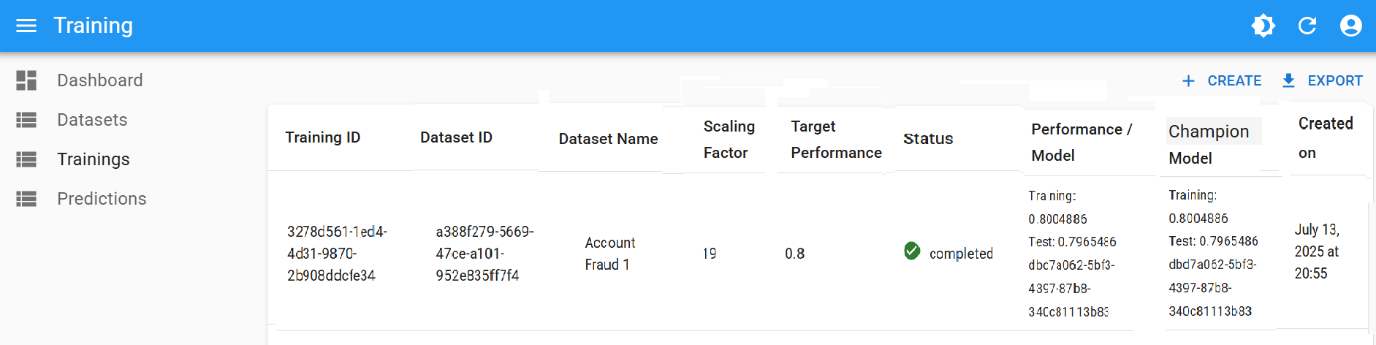
Initial baseline training
- Number of Buckets:
20 - Scaling Factor:
19 - Performance Threshold:
0.8
See the Training Guide to run this initial setup. The result should be an initial champion model.
Step-by-Step tuning process
1. Start by increasing the Performance Threshold
Following up with the initial training from the previous step:
- If no model achieves > 0.8 accuracy, the training will stop with status
Not Completed - If this is the case, inspect which algorithm came closest
- For example, if one algorithm reached
0.78:- Lower Performance Threshold to
0.78 - Rerun training to attempt getting a new Champion Model with performance
0.78
- Lower Performance Threshold to
0.95 or 0.99 — these values often fail early2. Gradually increase the threshold
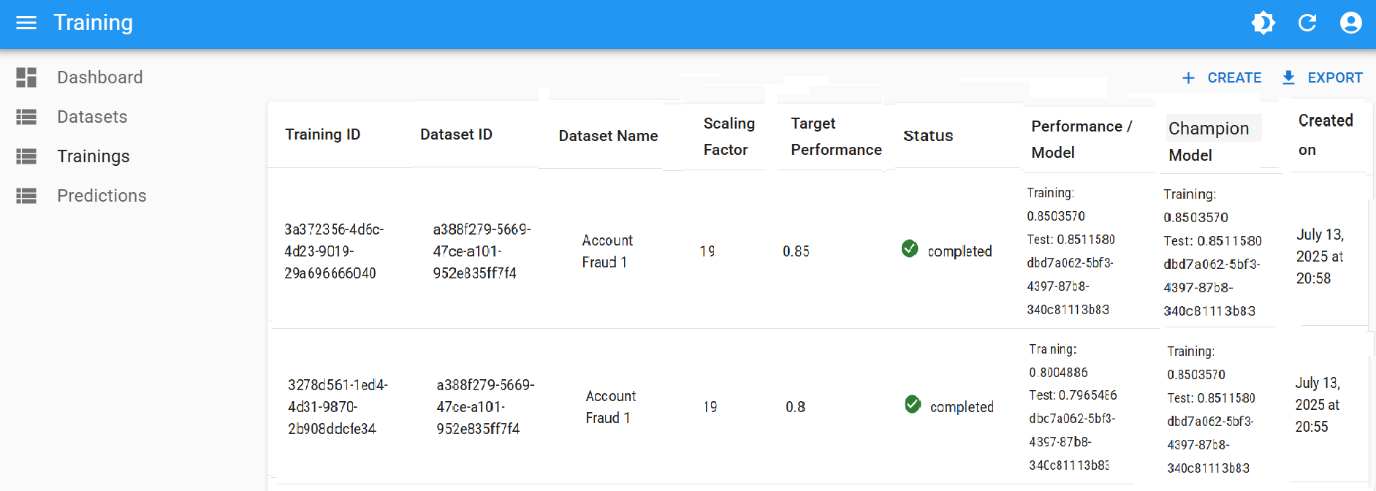
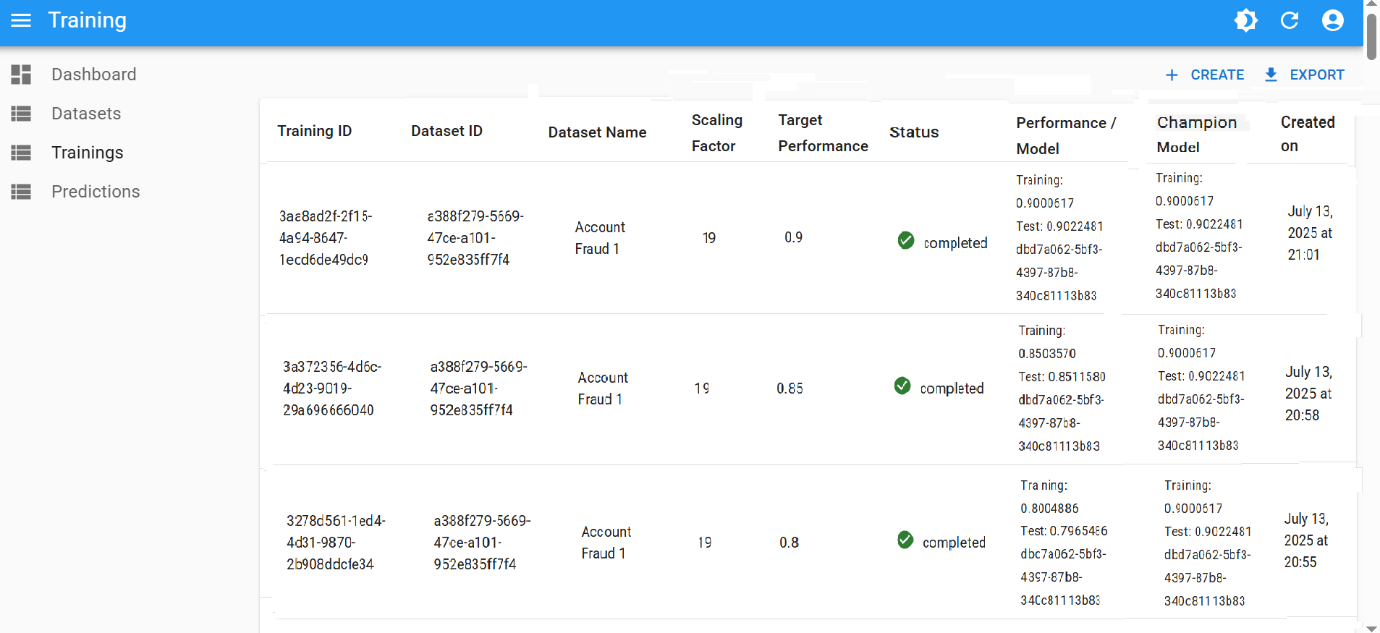
If BAI succeeds with the newly chosen threshold ( 0.8, 0.78, …), continue increasing it in 0.05 increments:
- Set threshold to
0.85, then0.90, then0.95
With each increase:
- Monitor if a new Champion Model is selected (training completes successfully with the chosen threshold)
- Watch for overfitting — train and test performance should stay close
3. Handle failure at high thresholds
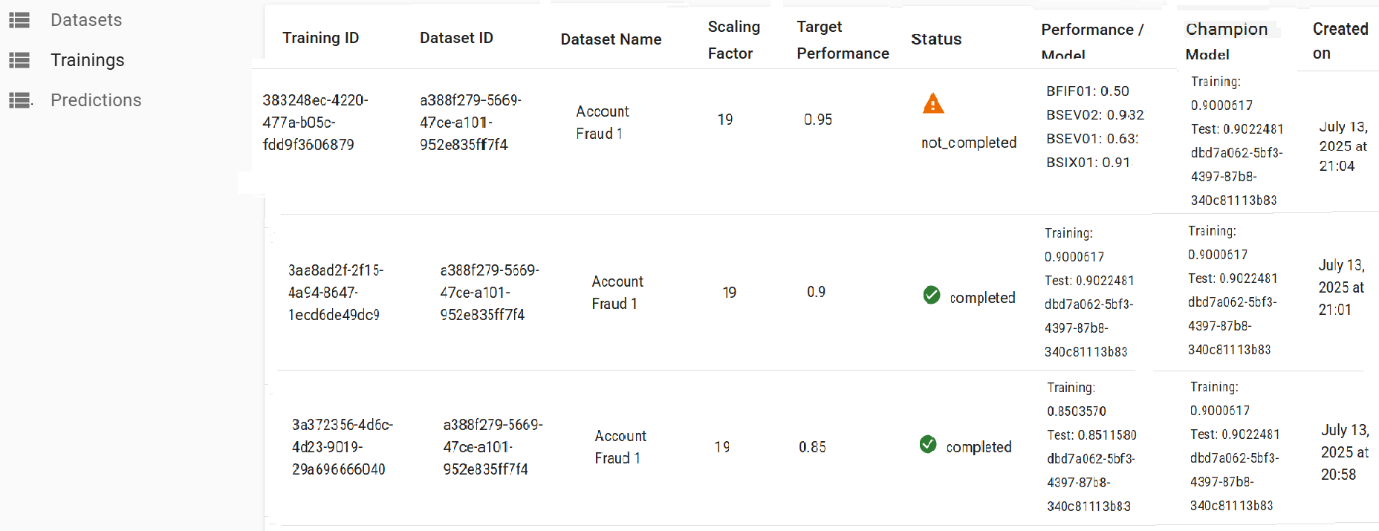
If you reach a threshold like 0.95 (or way lower) and training fails (e.g., Timeout or Not Completed), there are mainly 2 options to continue:
- Accept the lower accuracy or
- Move to tune other parameters
Option A: Accept a lower accuracy
If 0.93 is acceptable (as the max seen in the Performance column):
- Lower Performance Threshold to
0.93 - Rerun training
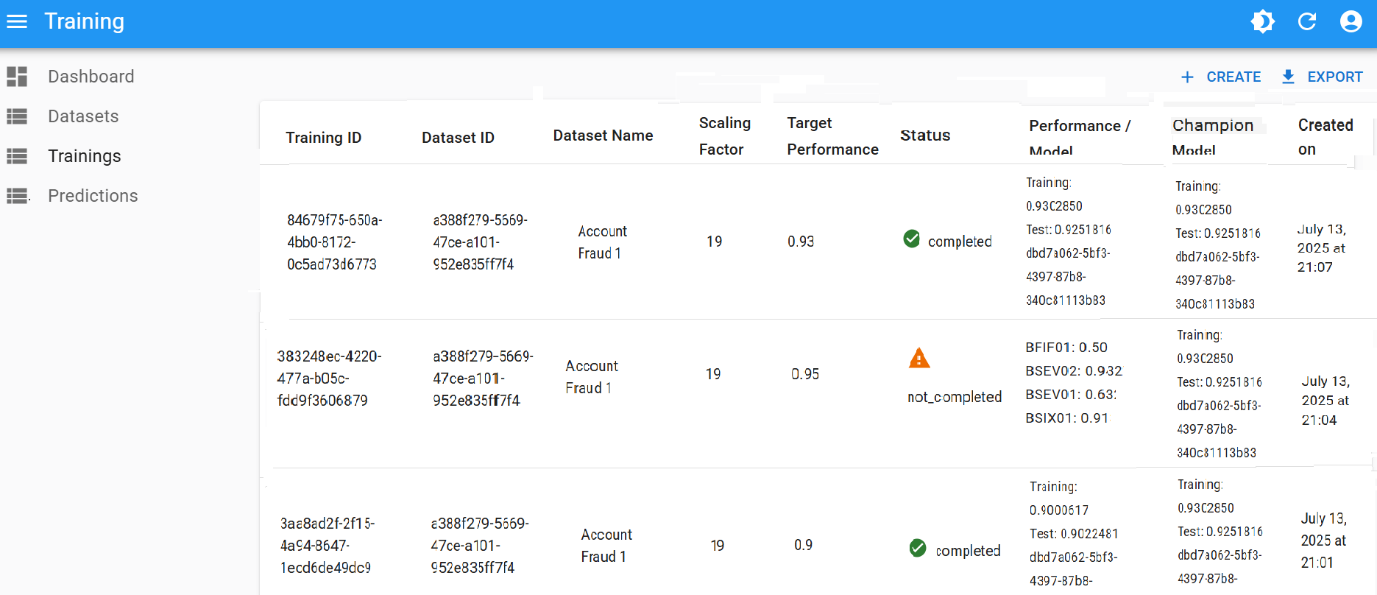
If this value wasn’t acceptable, move to tune other parameters and keep the original, desired threshold.
Option B: Tune other parameters
- Keep Performance Threshold at your desired outcome (e.g.
0.95) - Adjust Number of Buckets or Scaling Factor
- e.g., Lower Number of Buckets from
20→10 - For this, create a new dataset version with a different name (e.g., Account Fraud 3)
- e.g., Lower Number of Buckets from
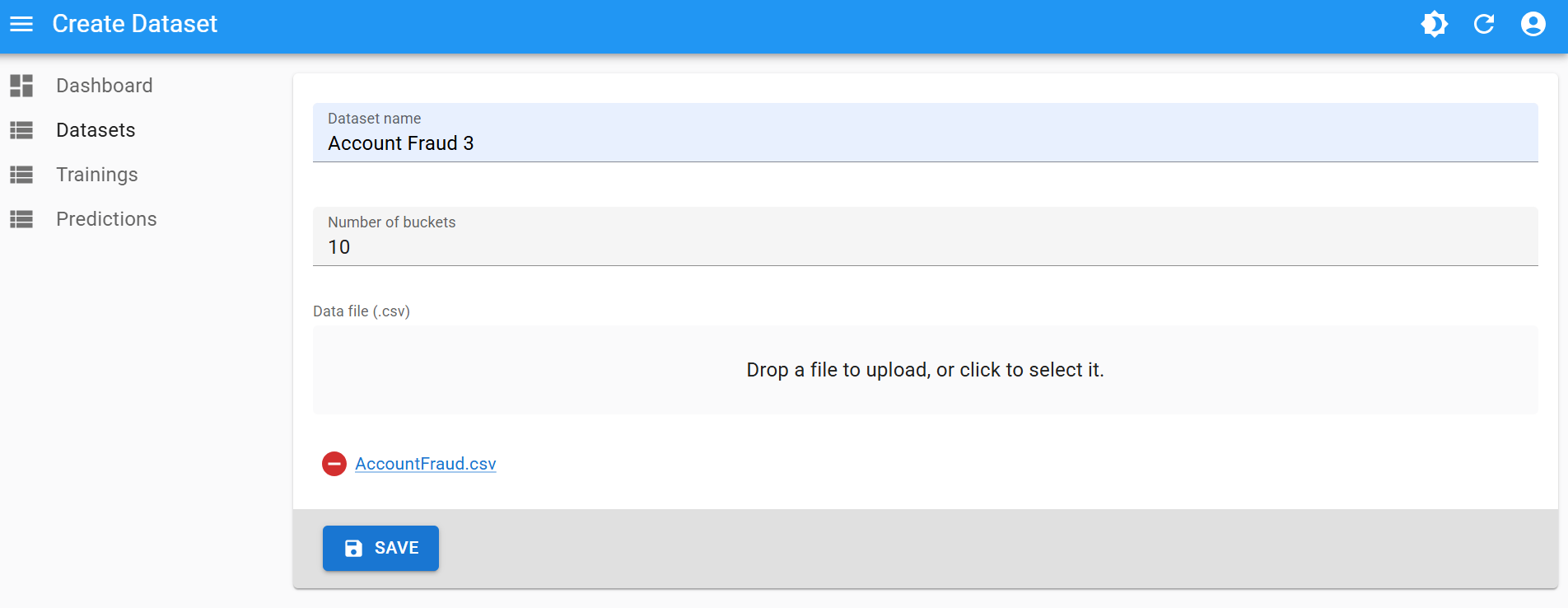
- Rerun training with this new dataset version, maintaining the desired threshold
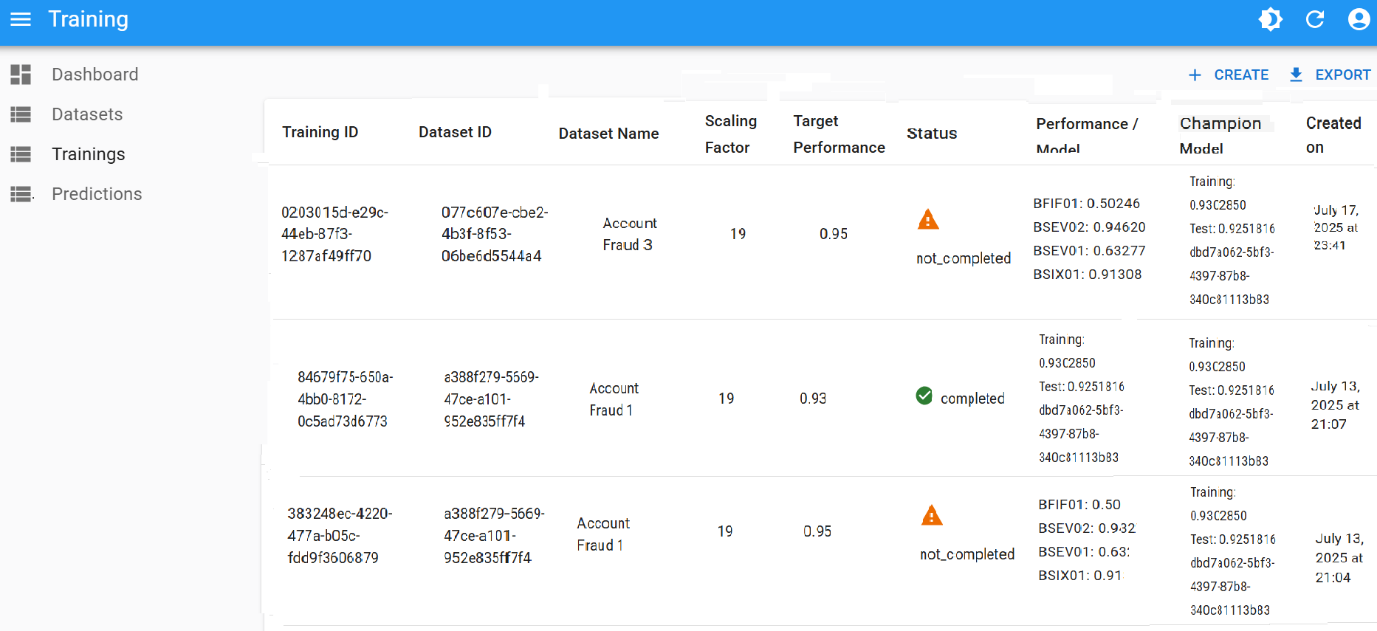
- If a training reaches a very close value (e.g.
0.94), update threshold to that value and rerun
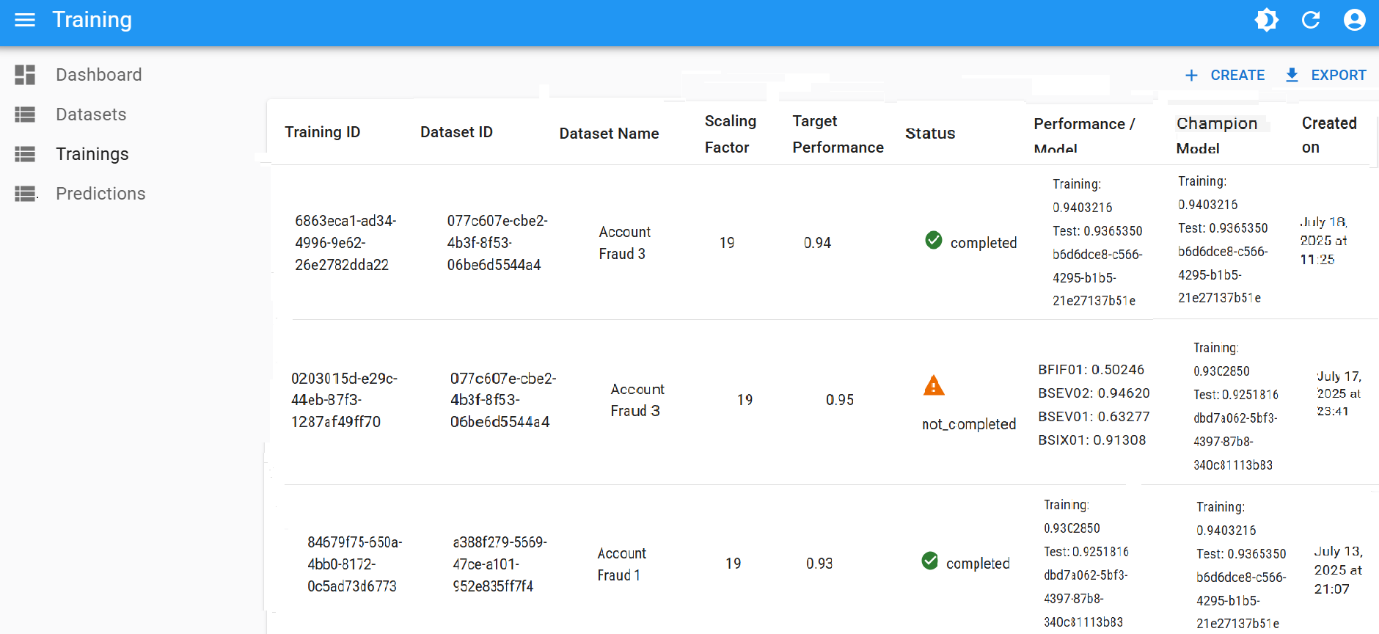
4. Repeat as needed
Continue this iterative to tune performance:
- Adjust one hyperparameter at a time
- Log your results
- Stop when you reach desired accuracy or a maximum once enough combinations tried
Sample tuning iteration
| Iteration | Threshold | Buckets | Scaling | Result |
|---|---|---|---|---|
| 1 | 0.80 | 20 | 19 | ✔ Model Created |
| 2 | 0.85 | 20 | 19 | ✔ Improved Model |
| 3 | 0.90 | 20 | 19 | ✔ High Accuracy |
| 4 | 0.95 | 20 | 19 | ✖ Timeout (max was 0.93) |
| 5 | 0.93 | 20 | 19 | ✔ Model Created |
| 6 | 0.94 | 10 | 19 | ✔ Best Model Yet |
Automating the process
All of the previous steps can be performed via the REST API:
- Upload CSV, create a dataset
- Run training
- Check results
- Re-run training with adjusted parameters or create another dataset version with new values
- Eventually, download predictions
See the API Guide to check examples on how to run this programmatically.
Summary
| Step | What to Do |
|---|---|
| Start training | Use default hyperparameters |
| Improve accuracy | Gradually raise Performance Threshold |
| Once plateau at high thresholds | Tune other parameters (Number of Buckets and Scaling Factor) |
| Automate | Use BAI API |
Need help tuning a specific dataset? Send us a support request.